If your team uses Claude to create marketing materials, you’ve probably seen the problem: the work looks polished, but it doesn’t quite look like your business.
The colours drift. The fonts change. A sales presentation feels different from your website. You spend time fixing the same details each time.
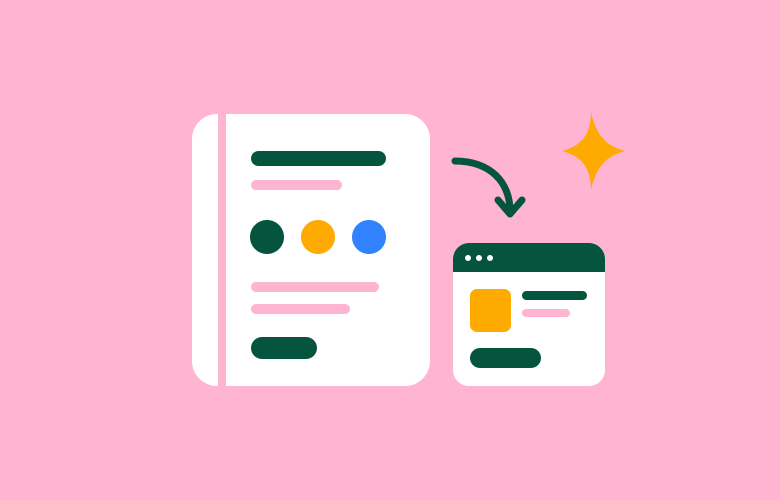
A Claude design system gives your team a shared starting point: your brand colours, fonts, logos and design rules, ready to use when creating presentations, designs and prototypes.
We’ve been using Claude a lot at Thrive lately. My advice for business owners is to start with the marketing pieces you make regularly, give Claude your real brand files, and have someone review the results before they go out.
What is a Claude design system?
A design system is a practical guide to how your brand looks and works. It brings together the colours, typography, layouts and reusable elements that make your materials feel like they belong to the same business.
In Claude, it gives the AI a reference to follow when it creates visual work. Instead of describing your brand from scratch for every new project, you can select the system you’ve already set up.
For a small business, that might mean a simple brand guide, your logo files and a few approved layouts. You don’t need a large library of website components to get started.
Where it can help your business
- Sales presentations: give your team a consistent layout for explaining your services.
- Marketing graphics: create first drafts that use your actual colours and visual style.
- Landing page concepts: explore a campaign idea before committing to a full website build.
- Team handovers: give staff and freelancers a clear reference for what belongs in your brand.
The useful saving is less time correcting fonts, colours and layouts. You still need to check the message, accuracy and finished design.
How to set up a design system in Claude
1 Gather the brand files you already have
Start with your brand guidelines, original logo files, font files and two or three examples of work you’re happy with. Your website, a recent presentation and a strong marketing piece can show how the brand works in practice.
- Logo files: use the original SVG files where possible, plus a version for dark backgrounds.
- Colours: provide exact colour codes and explain which are backgrounds, text colours and accents.
- Fonts: include the font files you’re licensed to use, rather than relying on a name alone.
- Brand guidelines: include logo rules, imagery style and any approved layouts.
- Writing examples: show the tone you want, including words and phrases to avoid.
If we built your website, its existing styles can also be a useful source. Your designer or developer can help extract the exact values.
If your branding is still unsettled, sort that out first. AI can repeat a set of decisions, but it needs clear decisions to follow. Our logo and branding team can help establish those foundations.
2 Create the system in Claude
Open Settings > Design systems and choose New design system. Choose the Claude option and upload your brand files. Check access and availability in your account if the option isn’t shown.
For most business owners, uploading approved brand material is a sensible starting point. If your brand already has a design system in code, ask your developer about importing it.
Keep the first version small. Ask Claude to identify anything missing rather than guess your colours, fonts or logo rules.
3 Write rules your team can actually use
“Modern and professional” leaves a lot open to interpretation. A useful brand guide explains what to do in specific situations.
- Use the dark green for headings and main buttons.
- Keep most of the layout neutral, with one accent colour for emphasis.
- Use the reversed logo on dark backgrounds.
- Keep headlines short and write in plain Australian English.
- Use our own photography and approved illustrations.
- Never stretch, redraw or add effects to the logo.
Those are examples, so replace them with your own rules. Include a short description of your business, who you help and what customers should understand about you.
I’d keep the most important rules easy to find. A short, clear guide is more useful than a long document nobody checks.
4 Start with the marketing materials you use most
Choose a few recurring tasks. A service business might start with a sales presentation, a proposal cover and a landing page concept. A retailer might prioritise campaign graphics and product promotion layouts.
For website concepts, add examples of your buttons, headings, forms and cards. These repeated elements help new layouts feel connected to your existing site.
Our graphic design team can create the approved templates and assets your staff need most often.
5 Test it on a real job
Ask Claude to make something you would actually use, such as a short presentation for a new service. Select your design system for the task.
Review the result against your brand guide. Look at the logo, colours, font sizes, spacing, images and wording. Then give specific feedback:
Use our heading font for the headlines. Reduce the orange to one small accent per slide. Keep the logo clear of other elements and shorten the copy.
Add recurring corrections to the system so your team has a clearer reference next time. Expect some back-and-forth before the results become reliable.
6 Give someone responsibility for it
Choose one person to approve changes and keep the files current. Share the reviewed system with the people who need it, using the sharing options available in your account.
Check it when you change your logo, website, fonts or campaign style. Existing designs keep their earlier copy of the system, so ask Claude to update those separately when needed.
A prompt to get you started
Upload your files, then adapt this prompt:
Create a brand design system for our business using the attached brand guidelines, original logos, font files and approved examples. Use the exact colours and fonts supplied. Include clear rules for logo use, layouts, imagery and tone of voice. Start with the essentials for sales presentations and marketing designs. Tell me what information is missing before making assumptions.
Common questions from business owners
Do I need a designer to set this up?
You can start yourself if you already have clear guidelines and approved assets. A designer is useful when those materials are missing, inconsistent or difficult to turn into rules. They can also spot problems in the test designs that your team might otherwise repeat.
Will every design be ready to publish?
No. Treat the output as a draft. Check the design, claims, contact details, offers and any images before using it publicly. A good system reduces repeated corrections, but it doesn’t remove the need for review.
Can it replace a website designer?
It can help you explore layouts and communicate ideas. A finished business website still needs careful work on mobile layouts, accessibility, content, forms and performance. An attractive concept is one part of that process.
What if we don’t have brand guidelines?
Start by gathering the files and examples you do have. Then identify the gaps: your logo versions, colours, fonts, imagery or writing style. Agree on those before asking your team to use AI for regular marketing work.
Want your AI designs to look like your business?
Start with the brand, then build the system around it. That gives Claude better instructions and your team a clearer way to judge the results.
Thrive can help with your brand guidelines, tone of voice, design assets and templates, then help you set them up for use in Claude. If you already have a strong brand, we can work with what you have.
Talk to us about getting your brand ready for AI.
Claude’s features and account settings can change. For current setup instructions, see Anthropic’s design system guide.