Advertising on Facebook can be a game-changer for a small business, but it can also burn through money fast if you don’t know what you’re doing. The good news is that most of what makes Facebook work for local businesses costs nothing. Here are the tactics that still work.
Make your Facebook page look legit
A Facebook Business Page is free, and it’s the first thing a potential customer checks after they hear about you. Before you try to reach anyone, make sure the page is in order: a clear profile picture (your logo), a cover image that shows what you do, a short bio, your opening hours, and up-to-date contact details. Add a call-to-action button such as “Send message”, “Book now” or “Get quote” so people can act without leaving the app.
Fill in the “About” section properly. Facebook pages rank in Google for business-name searches, so this is also a small piece of free SEO.
Sell via Facebook Marketplace
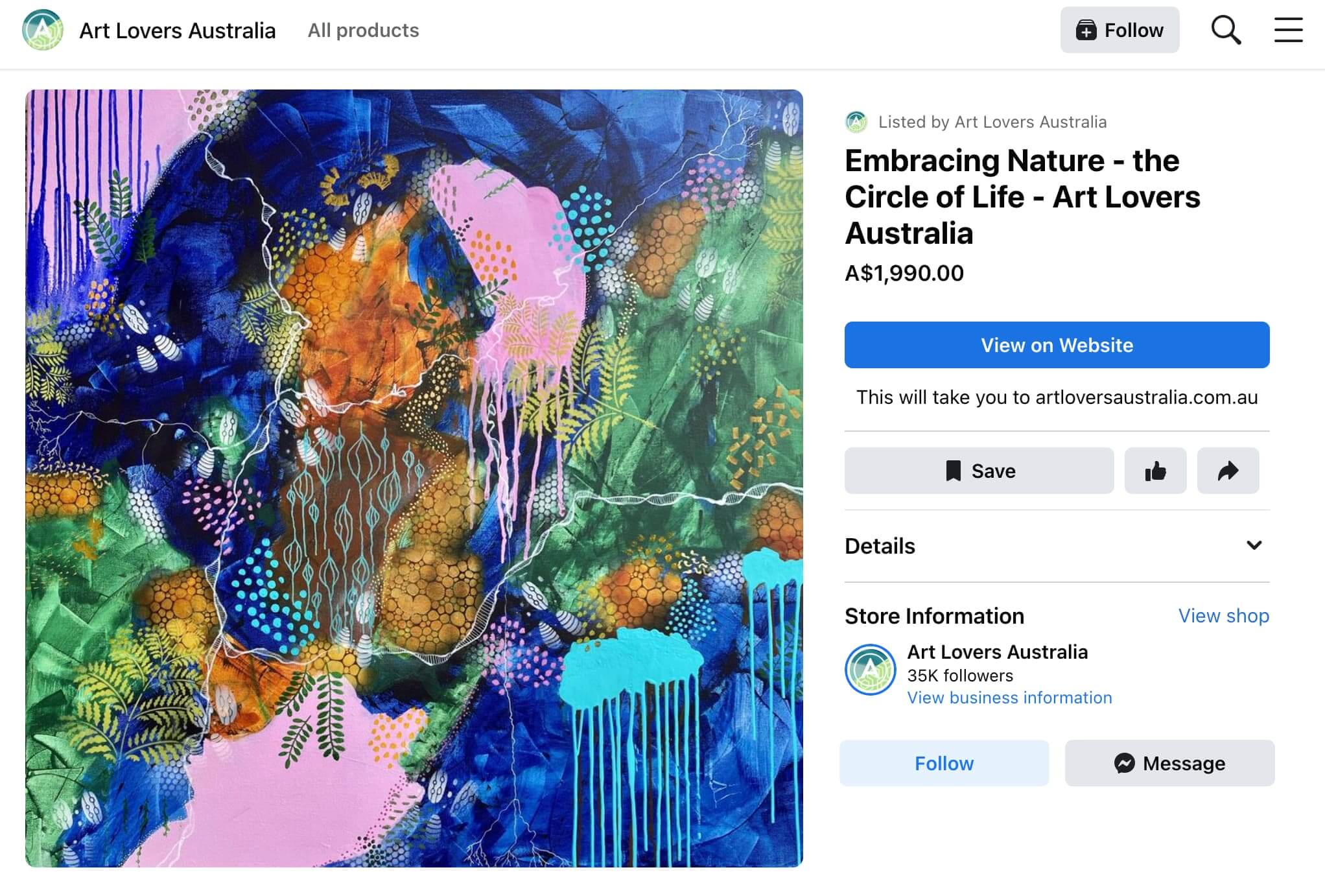
Marketplace is the most under-used free channel on the platform for small businesses. Listings are free, they appear to people searching in your area, and a business page can list directly rather than through a personal profile.
A few things make the difference between a listing that sells and one that sits:
- Write the listing like a product page. A specific title, the price, dimensions or specs, condition and what’s included. Vague listings get skipped.
- Use your own photos. Several, well lit, on a clean background. Stock images get flagged and ignored.
- Price it clearly. Marketplace shoppers compare, and “message for price” loses the comparison.
- Answer fast. Response time affects where Marketplace shows your listings, and most buyers message more than one seller.
- Renew and relist. Listings drop down the feed over time. Refreshing them every week or two keeps them visible.
- Follow the commerce policies. Services, some categories and anything that looks like a lead-generation ad get removed. If you sell services rather than products, use your page and groups instead, and keep Marketplace for physical items.
Note that Facebook has added paid “boost” options inside Marketplace. You don’t need them. A well-written listing with good photos and quick replies does the work.
Gain visibility through Facebook groups
The feed favours content from friends, family and groups because that’s what people engage with. Local community groups, buy-swap-sell groups and industry groups are where a small business gets seen without paying.
The rule is simple: be useful first. Answer questions in your area of expertise, join conversations, and only mention your business when it’s genuinely relevant. Groups demote and remove anything that reads as spam, and admins remember who does it. Done properly, a few months of helpful group activity produces more enquiries than most small ad budgets.
Post short video, including Reels
Short vertical video gets more reach than any other format on Facebook right now, and Reels are shown to people who don’t follow you. You don’t need production value. A phone, decent light and something worth seeing is enough:
- Quick how-tos and tips from your trade
- Before-and-after shots of a job
- A look behind the scenes at how something gets made or done
- Answers to the questions customers ask you most
Facebook Live still works for Q&A sessions and launches, but for everyday reach, short recorded clips are easier to make and travel further.
Sharing is caring
People trust recommendations from people they know. Ask friends, family and happy customers to share your page or a specific post. Before you ask, make sure the page has something worth sharing: strong recent content and a clear line on what you do and how to get in touch, so that when a share lands in front of a stranger, it makes sense on its own.
Show off user-generated content
Photos and videos from real customers do more for trust than anything you post yourself. Encourage customers to tag you, ask permission, and share their content on your page. It gives you a steady supply of posts and shows prospects what the experience actually looks like.
Create a Facebook shop
A Facebook Shop lets you showcase products directly on your page so people can browse without leaving Facebook. Setting one up is free. Checkout rules have changed over the years and now vary by country, so in Australia the safest setup is to link each product through to your own website, where you control the sale, the customer data and the payment fees.
The shop also doubles as customer service: people message you about specific products, and quick, helpful replies turn those into sales.
Engage with followers through Facebook Messenger
Messenger is where a lot of buying decisions get made for local businesses. Turn on instant replies and away messages, set up saved replies for the questions you get every day, and answer new messages quickly. Facebook shows a “very responsive” badge to pages that reply fast, and it’s one of the few free trust signals you can earn.
In summary, Facebook can reach a large local audience without you spending anything. Keep your page in order, use Marketplace properly, be useful in groups, post short video, and answer messages quickly. Be consistent and track what produces enquiries, and you’ll know where to spend money if you ever decide to.
If you’re a Gold Coast business that wants to go further than the free tactics, Thrive Digital can help. We run Facebook and Instagram ad campaigns and Google Ads for local businesses, alongside search engine optimisation and website design. Get in touch and we’ll work out whether paid reach makes sense for your goals, and what it should cost.