You can track whether your business appears in AI answers, which pages get cited and some of the visits and enquiries that follow. The picture is improving, but no single tool shows the whole journey.
At Thrive, we’ve been appearing in AI answers and getting leads from people finding us this way. That makes this more than an interesting change in search. It is already another way potential clients discover a business.
The harder question is how to measure it properly. What can Google and Microsoft show you? What does Semrush actually measure? And how much happens outside your website analytics?
Research checked: 21 October 2026.
What does AI visibility actually mean?
AI visibility describes how your company, products or website appear in generated answers. A business can be recommended without its own website being linked. A page can also be cited as a useful source without the company being recommended.
- A mention: your business is named in an answer.
- A citation: an answer links to your website as a source.
- A visit: someone follows a link to your website.
- A lead: someone enquires after discovering you through AI.
These are separate outcomes. A rising visibility score does not automatically mean more visitors, and more visitors do not automatically mean better enquiries.
If the labels are new, our explainer on GEO, AEO and AI SEO covers what each term means, and our guide to attracting traffic from AI search covers how to earn those mentions in the first place. This article is about measuring them.
What is happening right now?
Reporting has moved beyond manually asking an assistant whether it knows your business. There are now useful reports from the search platforms themselves, alongside tools that collect and compare AI answers.
Google now has dedicated generative AI reporting. Google announced the Search Console reports in June 2026 and says the rollout reached websites worldwide by 31 August. The Search report covers impressions in AI Overviews and AI Mode. Older advice saying there is no separate AI visibility report is now out of date.
Google’s announcement: Google Search Central: Generative AI performance reports in Search Console
Google Analytics has an AI Assistant channel. Announced in May 2026, it groups visits from recognised assistant referrers. This gives businesses a more direct starting point for measuring traffic from those services.
Analytics update: What’s new in Google Analytics, May 2026
Bing is adding more context around citations. Its Topics Portfolio beta, announced on 13 October 2026, groups activity into themes and highlights queries where other sites appear. It needs sufficient data, so smaller websites may see limited information or no Topics Portfolio tab.
Bing’s latest update: Bing Webmaster blog: Introducing Topics Portfolio beta in AI Performance
Where can you get the data?
Google Search Console: visibility within Google
Start with the Generative AI performance report for your verified website. It shows impressions, with breakdowns by page, country, device and date. Google notes that the report may be absent when a site has not received enough impressions.
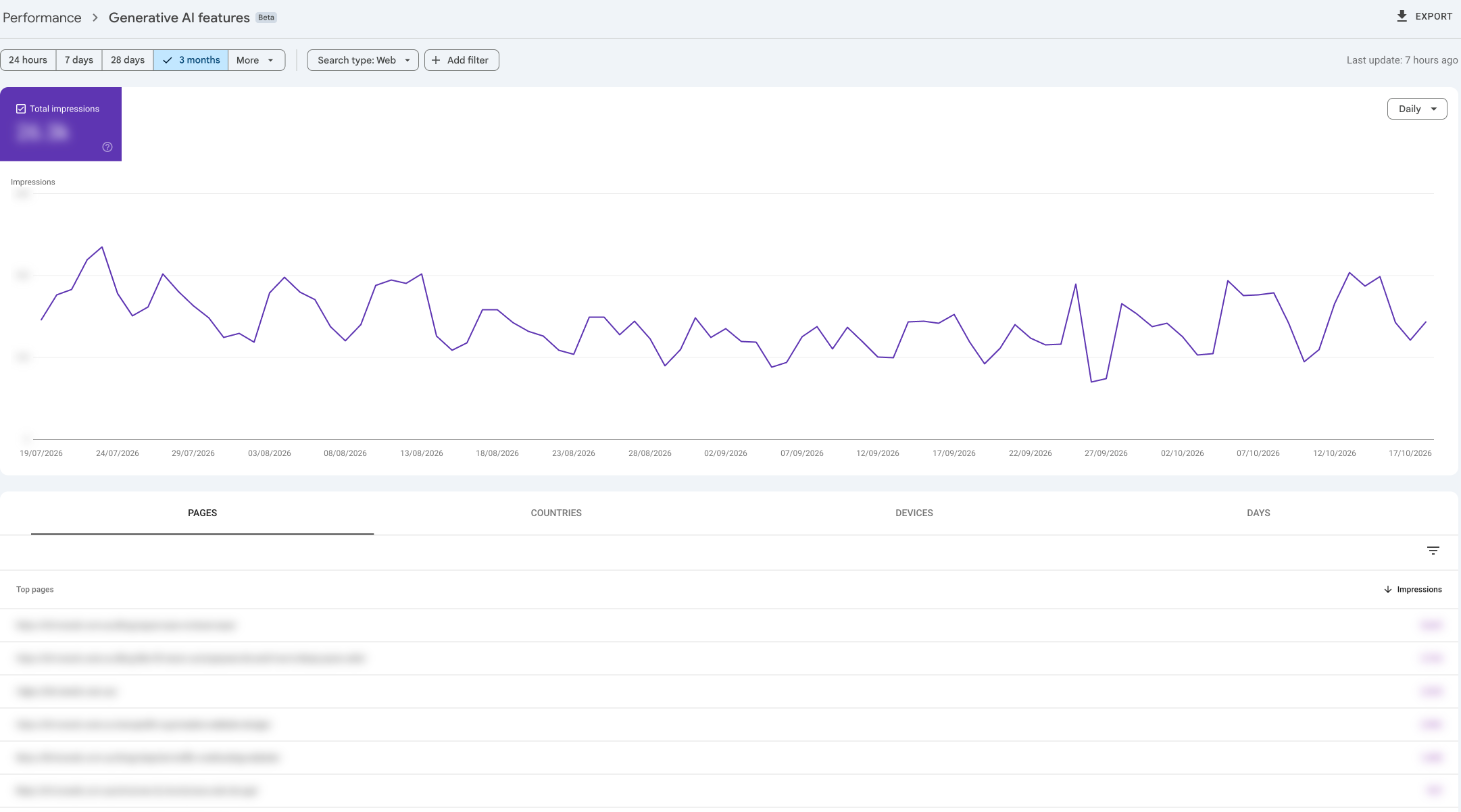
Its current focus is exposure. The documented report does not provide a dedicated AI click metric or query breakdown, and it does not connect an impression to an enquiry. It also covers Google Search features, rather than every place your business might appear in an AI conversation.
Report details: Search Console Help: Generative AI performance report
Bing Webmaster Tools: citations in Microsoft’s supported experiences
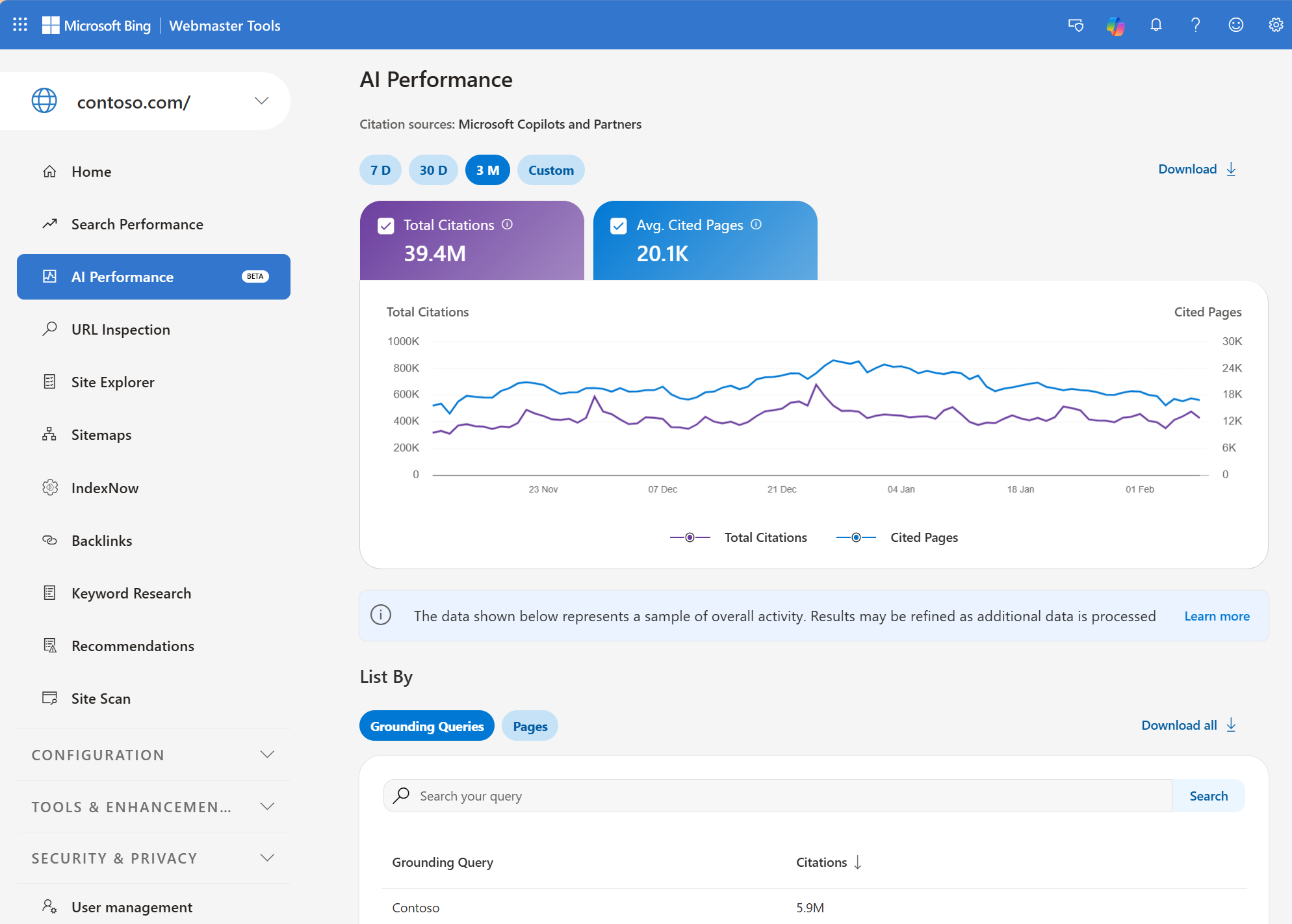
Bing’s AI Performance report shows citation totals, cited pages, trends and a sample of grounding queries. These are the phrases used to retrieve supporting information, which can differ from the question a person originally typed.
The report covers Microsoft Copilot, AI summaries in Bing and selected partner integrations. Its citation counts are evidence that content appeared as a source. They do not count website visits, prove a recommendation or provide a complete record of ChatGPT visibility.
Report explanation: Bing Webmaster blog: Introducing AI Performance in Bing Webmaster Tools
Google Analytics: visits and actions on your website
In GA4, start with Traffic acquisition and the AI Assistant channel, then inspect session source and medium. Check which pages visitors land on and whether they complete an enquiry, book or buy. A completed form should be measured separately from a click on a contact button.
There is an important distinction: Google’s AI Overviews and AI Mode traffic belongs to Organic Search, rather than the AI Assistant channel. That channel therefore cannot be treated as your total AI search traffic.
Google’s channel definitions: Google Analytics Help: Default channel group definitions
Your enquiries: how people say they found you
Ask new leads how they first heard about the business. Give them an AI search option and space to name the service or describe the question they asked. Keep this alongside the source recorded by your website.
Someone might discover you in an AI answer, search your business name later and then call. Their enquiry helps explain the discovery, while analytics may only show the later visit. Self-reported answers are useful evidence, although people do not always remember every step.
Third-party tools: sampled answers and competitor comparisons
Semrush and Ahrefs can help you investigate questions, mentions, citations and competing businesses. Their data comes from their own collection methods. It should not be read as a complete feed of every private conversation happening inside an AI service.
For example, Ahrefs Brand Radar builds its research prompts from search demand data and also supports custom prompts. That makes it useful for repeatable comparisons, with results shaped by the questions being tested.
Ahrefs Brand Radar: Ahrefs Brand Radar
What can Semrush do?
Semrush’s AI Visibility Toolkit has two useful roles: researching the wider market and tracking questions you choose for your own business.
- Visibility Overview: compare brand mentions, citations and visibility trends across supported platforms and countries.
- Competitor research: investigate topics and cited sources where competing brands appear.
- Prompt Tracking: monitor selected questions over time and inspect captured answers and sources.
- Brand Performance: examine how supported AI services describe your brand.
- Site Audit: identify technical access issues worth investigating.
The overview is useful for finding opportunities. A custom tracking campaign is more useful for repeatedly checking the specific services, locations and buying questions that matter to you.
Overview documentation: Semrush Knowledge Base: AI Visibility Overview report
Semrush’s Prompt Tracking documentation currently lists ChatGPT Search, Google AI Mode and Gemini as campaign options, with location and language settings where available. It provides daily tracking and captured results. Available platforms and allowances should be checked in the relevant report before choosing a plan.
Prompt Tracking: Semrush Knowledge Base: Prompt Tracking
Where does Semrush get its AI data?
Semrush says its research database draws on AI search clickstream data and Google keyword data for AI Overviews. It groups related prompts into topics. Topic volumes are estimates built from third-party interaction data and modelling.
Custom Prompt Tracking is different: Semrush runs the questions you select against the chosen platform and location each day. Brand Performance uses a separate database, while Site Audit uses crawler checks.
This distinction matters. A visibility score summarises a provider’s dataset and method. It is not a percentage of everyone who has seen your company, and an estimated topic audience is not a count of visits to your website.
Semrush’s data methodology: Semrush Knowledge Base: where the AI visibility data comes from
What can’t we see reliably?
The main gaps sit between exposure and the eventual decision to contact a business.
- Every answer: trackers test a selection of prompts. Results can vary with wording, location, timing and conversation context.
- People who never click: someone may remember your name, share it or contact you later without following the cited link.
- The original conversation: website analytics does not show the private discussion that led someone to visit.
- Every AI-influenced visit: referral information can be missing. Direct traffic is not proof of AI discovery.
- A complete reason for a recommendation: a citation shows a visible source, without explaining every factor behind the answer.
- Proof that an edit caused growth: more mentions after a website change are worth investigating, but timing alone does not establish the cause.
Google explains that Direct traffic can include visits without a clear referral source. Missing source information cannot simply be reassigned to AI.
Direct traffic explained: Google Analytics Help: Direct traffic
Server logs can add another clue by showing crawler requests. A bot fetching a page does not prove a person saw it, that it was cited or that it generated a lead.
How we would track it for a business
1Choose questions that could lead to work
Start with a manageable set of real buying questions, such as “Who builds WordPress websites on the Gold Coast?” or “Which agency can redesign a WooCommerce store?” Include questions without your brand name, as well as checks on how AI describes your business.
2Keep the comparison consistent
Record the exact prompt, platform, location, date, answer and cited pages. Track a fixed core set over time and label new questions separately. Otherwise, changing the test can look like changing performance.
3Connect visibility with useful enquiries
Review platform reports, tracked answers, identifiable AI visits and qualified leads together each month. Ask which enquiries became suitable projects, rather than judging success from mention counts alone. Keep customer-reported AI discovery separate from analytics-attributed enquiries so you do not count the same lead twice.
4Use the findings to improve specific pages
If relevant answers repeatedly cite competitors or independent sources, read those pages. Look for useful information your own site lacks, such as pricing guidance, service details, comparisons or evidence of completed work. Record what you change and watch the trend over several reporting periods.
Our view is that AI visibility is worth tracking because it can already bring real business. The useful report connects appearances with enquiries and is honest about the parts we cannot measure.
If you want help understanding where your company appears and what to improve, talk to Thrive about AI Search Optimisation.